


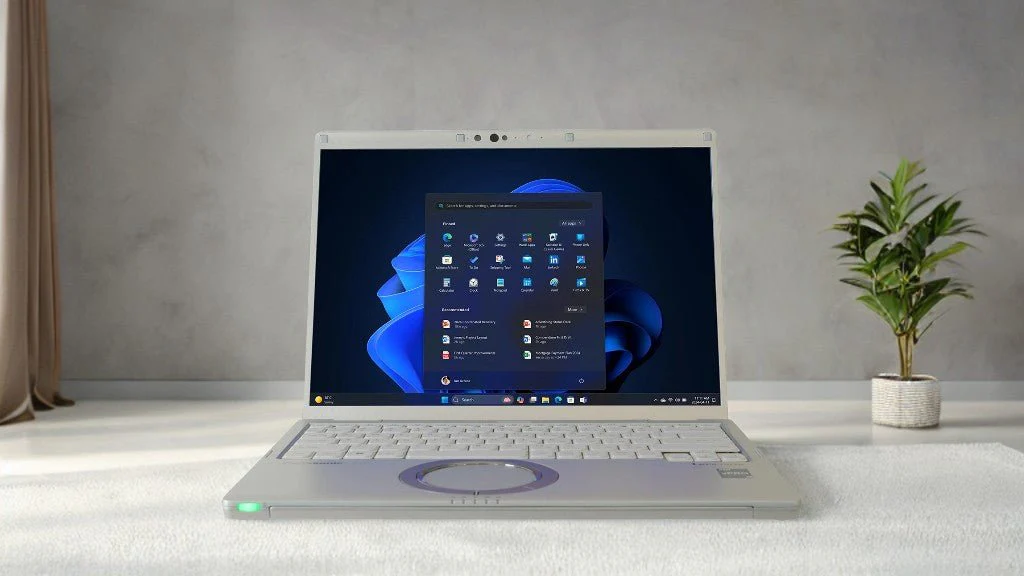
Modern work no longer happens only at a desk. Many professionals move between offices, customer sites, vehicles, warehouses, meetings, and remote workspaces throughout the week. For these users, laptop choice matters. A panasonic let’s note laptop can be a practical option for workers who need a portable business machine that supports daily productivity without adding extra weight to their work bag.
Mobile professionals need laptops that are easy to carry, simple to set up, and dependable enough for repeated daily use. A device may have strong specs, but if it is too heavy, has poor battery life, or lacks the right ports, it can slow down the workday. The best business laptops balance performance, portability, build quality, and comfort.
Why Mobile Professionals Need More Than a Basic Laptop
A basic laptop may work for light home use, but business users often need more from their devices. A manager may need to review reports during travel. A field coordinator may need to update project notes from a customer location. A sales professional may need to prepare quotes, join video calls, and show documents during meetings. A logistics worker may need to check schedules, delivery records, and inventory details while moving between locations.
In these situations, the laptop becomes a daily work tool. Slow startup times, short battery life, weak hinges, poor keyboard comfort, or missing ports can create repeated frustration. These problems may seem small at first, but they can affect how quickly work gets done.
Portability is also important. A laptop that is too bulky may be left behind more often. Workers who move frequently need a device they can carry without strain. This is where lightweight business laptops can be a better fit than larger consumer models.
What Makes Lightweight Business Laptops Useful
A good lightweight business laptop should make work easier, not harder. It should be easy to carry, quick to open, and comfortable to use for typing, browsing, documents, spreadsheets, and communication.
Battery life is one of the most important factors. Mobile workers may not always have access to a power outlet. A laptop that can last through meetings, site visits, and travel helps reduce interruptions. Even when charging is available, workers do not want to plan their day around finding a power source.
A comfortable keyboard also matters. Many business users spend hours writing emails, editing documents, entering notes, and preparing reports. A cramped or low-quality keyboard can make the laptop less useful over time.
Screen quality should also be considered. A clear display helps with reading documents, reviewing spreadsheets, joining video meetings, and working in different lighting conditions. Business users may work in offices, vehicles, hotel rooms, conference spaces, and shared work areas, so the screen should be easy to view in more than one setting.
Where Panasonic Let’s Note Laptops Fit Best
Panasonic Let’s Note laptops are often considered by professionals who want a business-focused laptop with a lightweight design. These laptops can be useful for people who need a device for daily office work, travel, client meetings, remote access, and field coordination.
They may fit well for managers who move between departments or job sites. They can also be useful for service coordinators who need to review schedules, update records, and communicate with field teams. Sales teams, consultants, logistics staff, and hybrid workers may also benefit from a laptop that is easy to carry while still supporting regular business tasks.
For companies that already use rugged or semi-rugged hardware, a lighter business laptop can be useful for staff members who do not need a fully rugged device every day but still want dependable equipment. This gives teams more flexibility when assigning devices based on each role.
Features to Consider Before Buying
Before choosing a business laptop, buyers should start with daily use. A person who mainly uses email, web apps, documents, and video calls may not need the same specs as someone working with large files, job management software, or technical programs.
Processor, memory, and storage should match the workload. Enough memory helps the laptop handle multiple browser tabs, business software, and communication tools at the same time. Storage should be large enough for documents, photos, project files, and software updates.
Ports are another important detail. Many modern laptops have fewer built-in ports, which can be a problem for business users who connect to projectors, monitors, printers, scanners, external drives, or wired networks. Before buying, check whether the laptop has the right ports or whether adapters will be needed.
Weight and size should also be reviewed. A smaller laptop is easier to carry, but the screen and keyboard must still be comfortable. The right choice depends on how often the laptop travels and how many hours it is used each day.
When buying refurbished or pre-owned business laptops, condition is important. Buyers should look for clear product details, tested hardware, battery information, included accessories, and warranty coverage. These details help reduce the risk of receiving a device that does not match work needs.
Why Supplier Trust Matters
The supplier can be just as important as the laptop itself. Business buyers need clear information before making a purchase. They should know the model, condition, operating system, included charger, available warranty, and return policy.
A dependable supplier should make it easy to understand what is being purchased. This is especially important for companies buying multiple devices or replacing equipment for staff. The wrong laptop can lead to lost time, return delays, and extra costs.
Support also matters after the sale. Business users may need help with accessories, chargers, batteries, docking options, or model compatibility. A knowledgeable supplier can help buyers choose the right setup instead of guessing.
Final Thoughts
Mobile professionals need laptops that fit the way they work. Portability, battery life, typing comfort, ports, and business-ready performance all play an important role. A laptop that is easy to carry and dependable during daily use can help workers stay productive across offices, client sites, vehicles, and remote workspaces.
If your team needs business laptops, rugged laptops, or work-ready computing hardware for mobile staff, visit Tough Rugged Laptops to explore options built for demanding professional use.