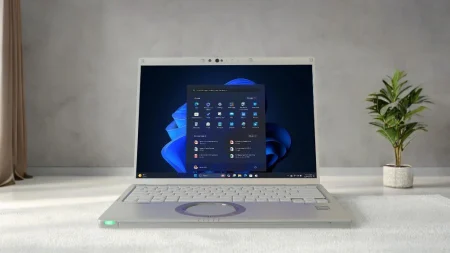


Computers used in warehouses, service vehicles, construction sites, factories, and public safety operations face conditions that ordinary office devices were never designed to handle. Drops, vibration, dust, moisture, glare, and temperature changes can quickly damage a standard computer. Selecting the right rugged laptops helps organizations reduce equipment failures while giving field teams dependable access to essential software, records, maps, and communication tools.
Start With the Working Environment
The right laptop should match the conditions in which employees will actually use it. A technician working inside a climate-controlled warehouse has different needs from a police officer using a computer in a patrol vehicle or a utility worker operating outdoors during severe weather.
Before comparing models, document the conditions the device may encounter. Consider whether it will be exposed to rain, blowing dust, repeated vibration, accidental drops, extreme heat, or freezing temperatures. You should also determine whether employees will carry the computer throughout the day, mount it inside a vehicle, or move it between indoor and outdoor locations.
This assessment prevents businesses from paying for unnecessary protection or purchasing equipment that cannot withstand the job.
Understand the Different Ruggedness Levels
Rugged computers are generally placed into three broad categories: business-rugged, semi-rugged, and fully rugged.
Business-rugged devices offer more protection than conventional laptops but are mainly intended for controlled workplaces where occasional bumps or spills may occur. Semi-rugged laptops often include reinforced frames, spill-resistant keyboards, protected drives, and stronger carrying handles. They are commonly used by field service teams, inspectors, and mobile professionals.
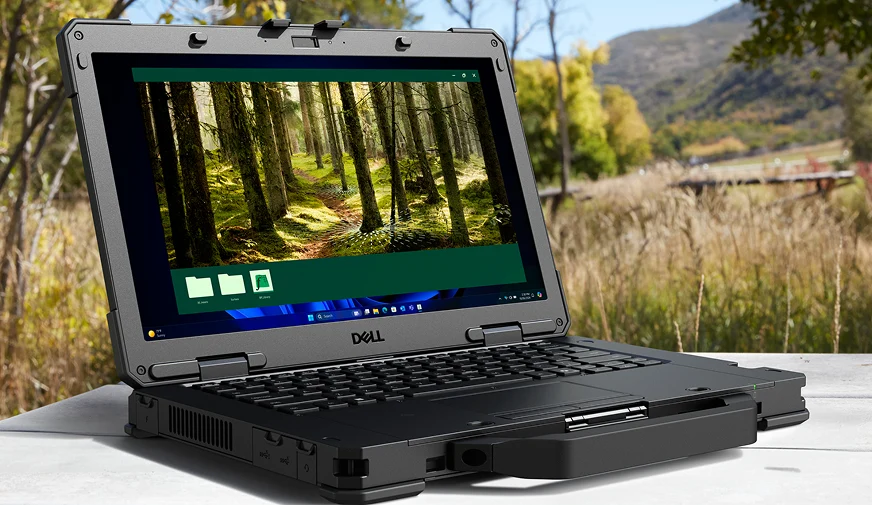
Fully rugged computers are built for frequent use in harsh settings. Depending on the model, they may have sealed ports, shock-resistant storage, reinforced cases, outdoor-readable screens, and resistance to water or airborne particles. These systems are often suited to public safety, defense, transportation, utilities, manufacturing, and construction applications.
Review Durability Testing and Ratings
Product descriptions may refer to MIL-STD testing or ingress protection ratings. These specifications help buyers compare equipment, but they should be reviewed carefully.
MIL-STD-810 testing may evaluate resistance to factors such as vibration, shock, altitude, humidity, and temperature changes. However, not every computer is tested against every method within the standard. Buyers should check which tests were completed and whether the results reflect their intended work environment.
An IP rating describes resistance to solids and liquids. The first number relates to protection from objects or dust, while the second relates to moisture. A higher rating can be valuable in outdoor, industrial, or emergency-response settings, but it should not be treated as permission to use a computer beyond the manufacturer’s stated limits.
Consider Screen Visibility and Input Methods
A display that looks clear indoors may become difficult to read in direct sunlight. Employees who regularly work outside should look for high-brightness or daylight-readable screens. Anti-reflective treatments can also make information easier to view under changing light conditions.
Touchscreen capabilities may be helpful for technicians, first responders, and warehouse staff who need to enter information without using a mouse. If workers wear gloves, confirm that the touchscreen supports gloved input. Convertible laptops and detachable tablets can offer additional flexibility when employees alternate between typing reports and collecting information while standing.
Match Battery and Power Options to the Shift
Battery performance is especially important when employees work away from electrical outlets. Manufacturer estimates provide a useful starting point, but actual runtime depends on screen brightness, wireless connections, software, temperature, and processor use.
For long shifts, consider models with replaceable batteries, secondary battery options, or hot-swappable designs. Vehicle power adapters and docking stations may also help keep devices charged during mobile operations. Buyers should confirm that compatible replacement batteries will remain available throughout the expected service life of the computer.
Check Connectivity, Ports, and Mounting Needs
Field teams may depend on Wi-Fi, Bluetooth, mobile broadband, GPS, Ethernet, serial ports, barcode scanners, or external antennas. Make a list of required connections before selecting a laptop. Using adapters for essential equipment can create unnecessary failure points and clutter inside vehicles or compact work areas.
Organizations planning to mount computers in vehicles should verify compatibility with docks, port replicators, power supplies, and mounting hardware. The complete setup should allow employees to connect their required equipment while keeping controls and safety equipment accessible.
Compare New and Refurbished Models
New rugged computers may offer current processors, longer manufacturer support, and more configuration choices. Refurbished models can provide a lower entry cost for organizations that do not need the latest hardware.
When evaluating a refurbished laptop, review its condition, battery health, storage type, installed operating system, warranty, and available upgrades. A lower purchase price is useful only when the device can reliably run required applications and remain serviceable for the planned deployment period.
Evaluate the Full Cost of Ownership
Purchase price is only one part of the decision. Equipment failures can create repair expenses, missed appointments, lost productivity, and delayed access to important records. Organizations should compare warranty coverage, repair services, replacement-part availability, accessory costs, and expected service life.
Choosing a computer based on real working conditions can reduce avoidable downtime and help employees complete their tasks without treating the laptop as fragile office equipment. For help comparing Panasonic Toughbook models, configurations, accessories, and refurbished options, visit Tough Rugged Laptops and choose hardware suited to your team’s daily operating demands.